Image Alt Text SEO Best Practices: The Complete Guide for Content Creators
Master image alt text SEO best practices with this complete guide. Learn how to write descriptive, keyword-rich alt text that boosts rankings and accessibility.
Details
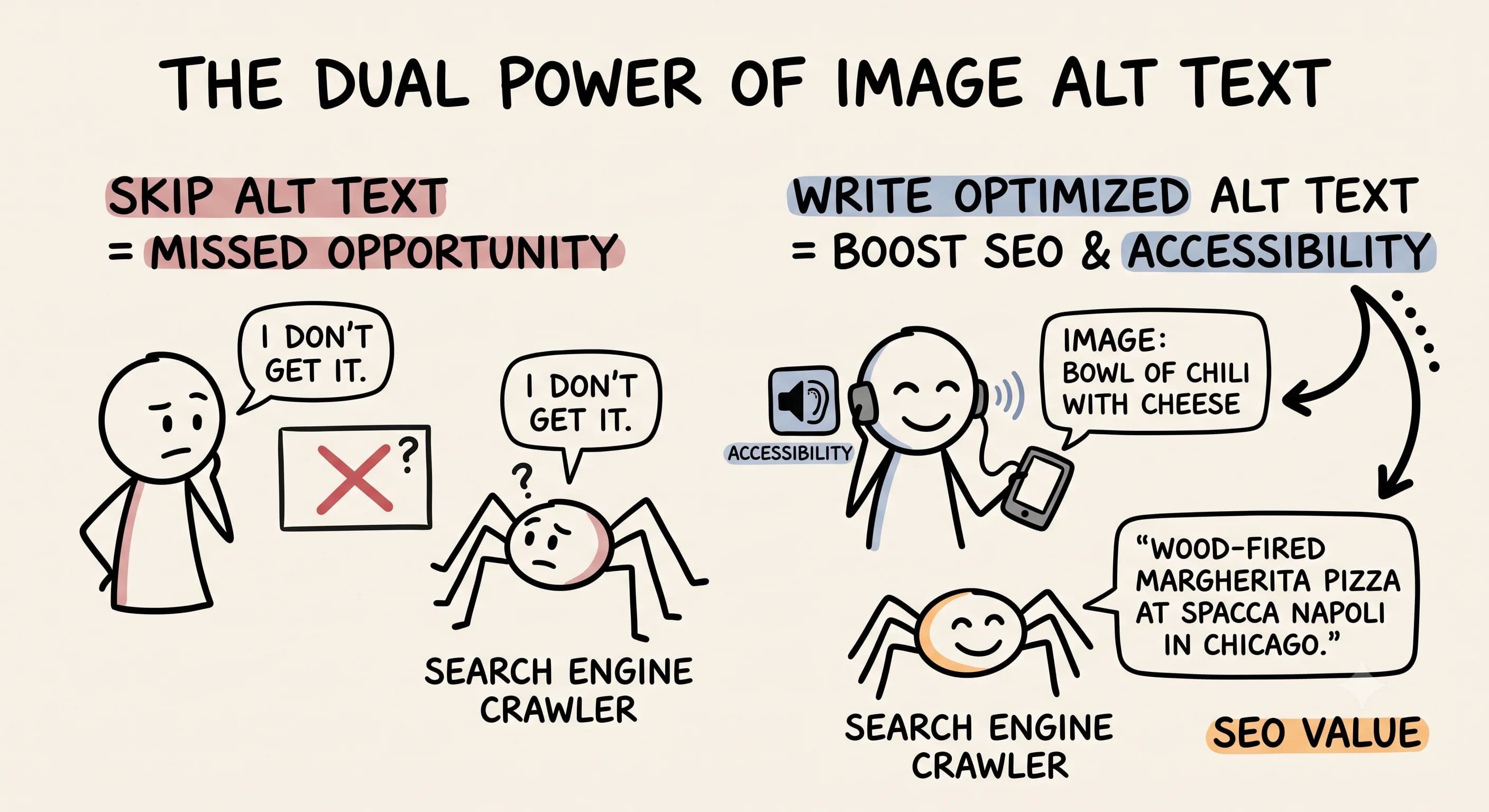
Image Alt Text SEO Best Practices Every Content Creator Needs to Know
You've spent hours crafting the perfect blog post. You've researched your topic, written compelling copy, and added beautiful images to bring your content to life. But if you're skipping over the little alt text field when uploading those images, you're leaving serious SEO value on the table — and making your content less accessible to millions of people who rely on screen readers to browse the web.
Image alt text is one of those behind-the-scenes SEO elements that doesn't get nearly enough attention. Yet it's one of the most straightforward optimizations you can make, and it pays dividends in two powerful ways: it helps search engines understand what your content is about, and it makes your site more welcoming to users with visual impairments. In today's content landscape, both of these outcomes matter more than ever.
Let's break down exactly what image alt text is, why it's a critical best practice for SEO, and how to write alt text that actually moves the needle for your content.
What Is Image Alt Text and Why Does It Matter to SEO?
 Alt text — short for alternative text — is an HTML attribute you add to your image tags that describes what is in the image. In your HTML, it looks like this:
<img src="pasta-dish.jpg" alt="pasta dish from Trattoria Roma in Chicago">. That string of descriptive words is your alt attribute, and it does a lot of heavy lifting.
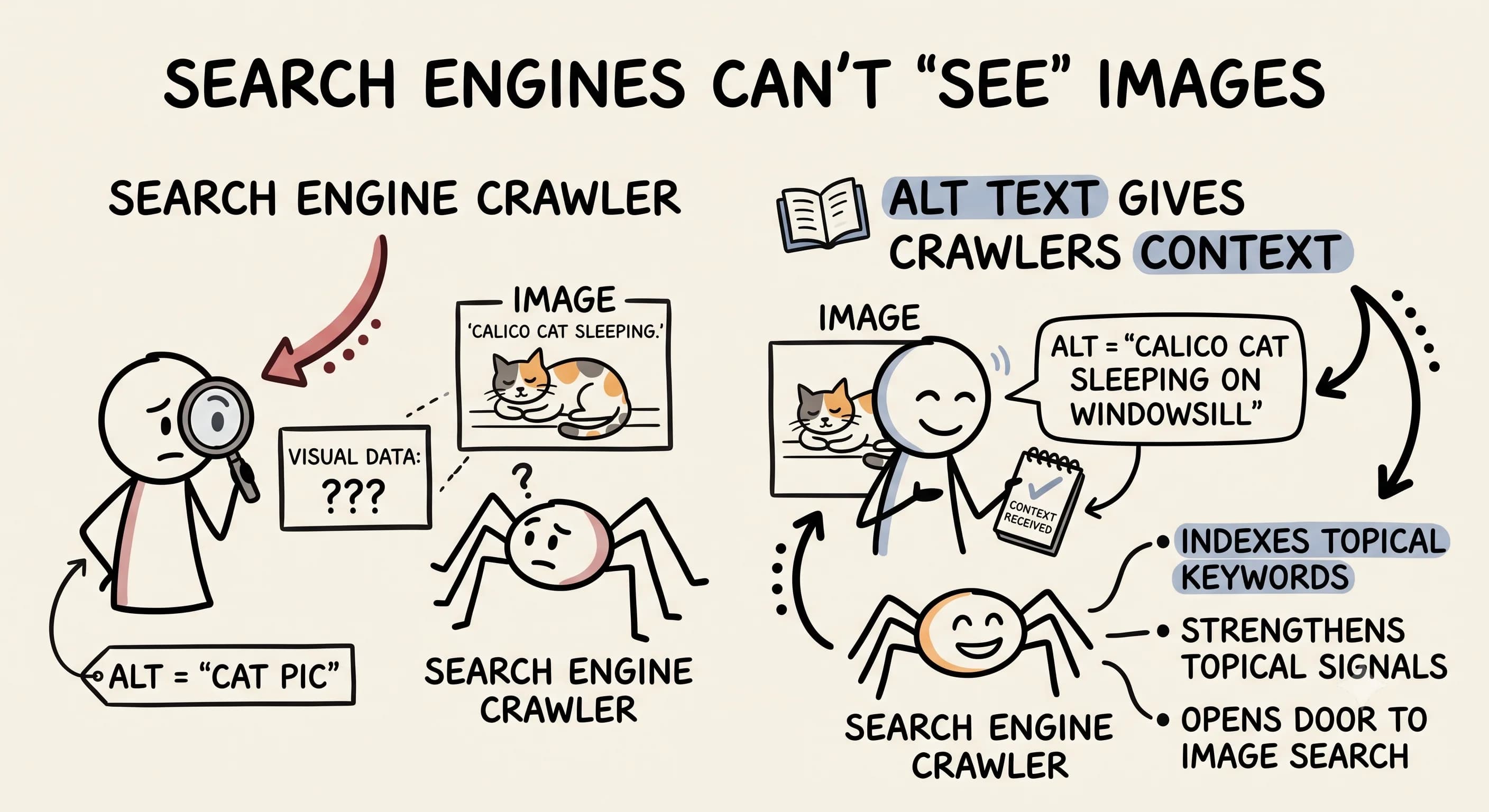
Here's the core problem it solves: search engines cannot see images. Google's crawlers are sophisticated, but they cannot visually interpret a photograph the way a human can. When your page is crawled, every image without alt text is essentially invisible content — a missed opportunity to reinforce what your page is about. Descriptive alt text gives search engines the textual context they need to understand your images and, by extension, your entire page.
For image SEO specifically, alt text is one of the strongest signals Google uses when indexing images for Google Image Search. If you want your images to appear in image search results and drive additional traffic to your content, writing good alt text is non-negotiable.
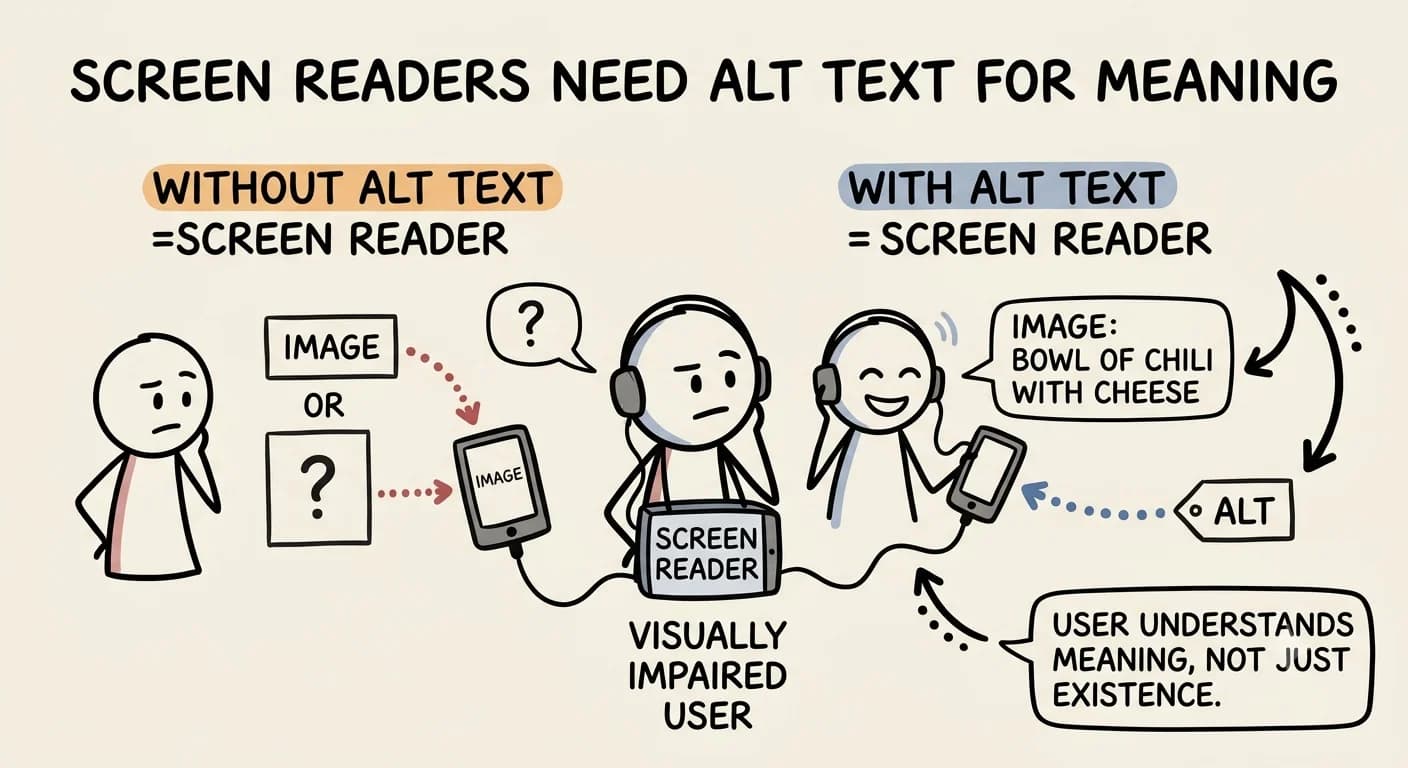
Beyond SEO, alt text is the primary way screen reader technology communicates visual content to users with visual impairments. As Harvard Digital Accessibility notes, alt text helps screen reader users understand the image's purpose on the page — not just that an image exists, but what it means in context. Without descriptive alt text, a user relying on a screen reader simply hears "image" — or nothing at all — and loses out on the value you've created.
Alt Text Best Practices: How to Write Alt Text That Works
 Writing effective alt text isn't complicated, but there are clear best practices that separate good alt text from generic filler. The goal is to be genuinely useful, not to tick a box.
Describe the Image Accurately and Specifically
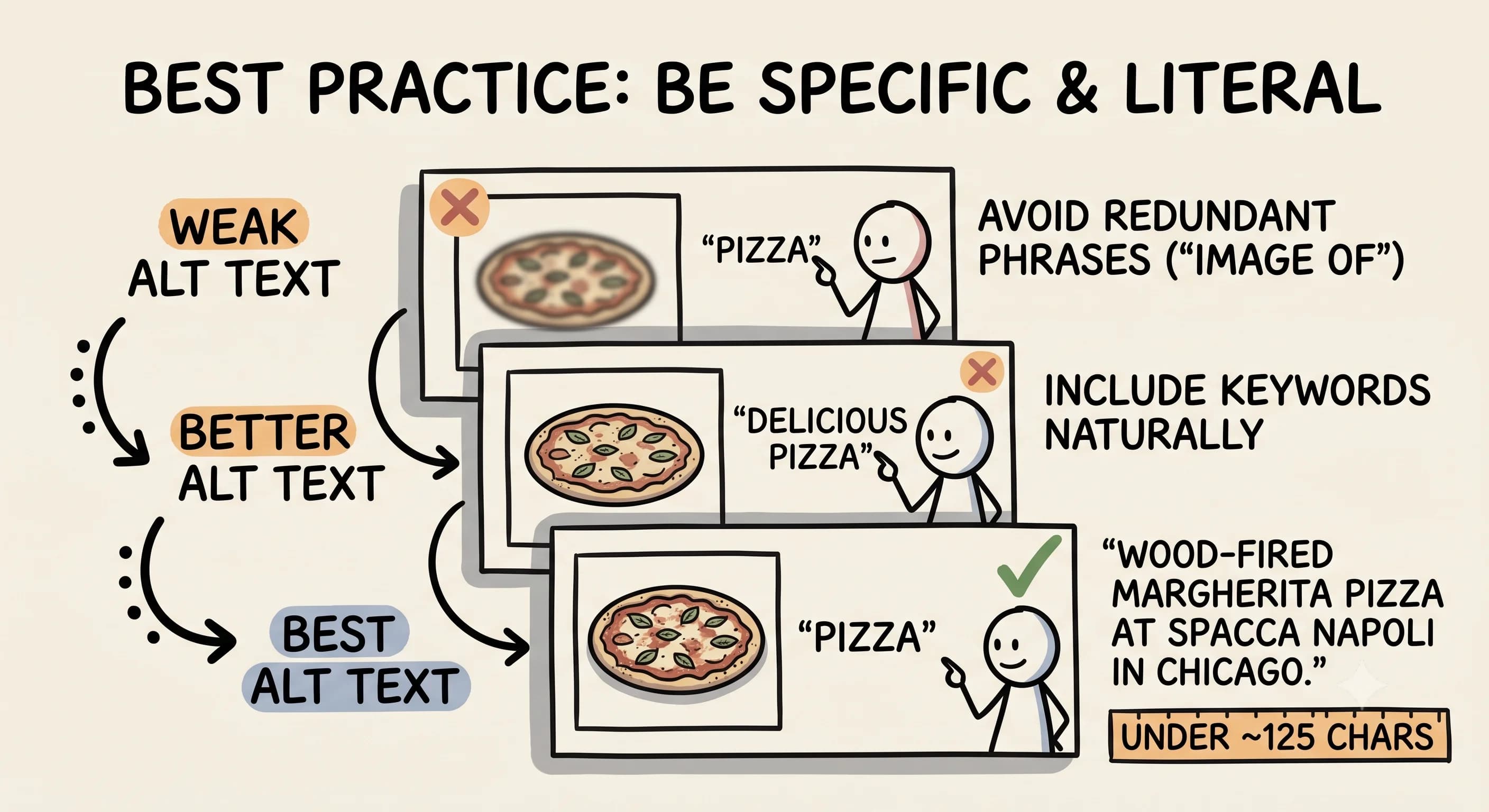
The golden rule of alt text is simple: describe the image as if you were explaining it to someone who cannot see it. Be specific and literal. If your image shows a bowl of pasta at a specific Chicago restaurant, don't write "food" or even just "pasta." Write something like "creamy carbonara pasta dish from Trattoria Roma in Chicago's River North neighborhood."
This approach serves two purposes simultaneously. A user relying on a screen reader gets genuinely useful information about what's on the page. And your search engine signals get stronger because you've reinforced topical keywords — Chicago, restaurant name, dish type — that align with your content's focus.
Google Search Central recommends that alt text be useful, information-rich, and written in context of the page. That's an important nuance: your alt text shouldn't just describe an image in isolation. It should describe it in a way that reflects the page's topic and adds contextual meaning beyond the literal visual.
Keep It Concise and Avoid Redundant Phrases
Length matters more than most content creators realize. According to Moz, alt text should be concise, contextual, and tailored to the image type — with most sources recommending you stay under roughly 125 characters. That's not a lot of space, so every word should earn its place.
Two things to cut immediately: redundant phrases like "image of" or "picture of," and keyword stuffing. You don't need to announce that it's an image — screen readers already do that. And cramming your target keywords in repeatedly isn't just unhelpful, it's the kind of bad practice that search engines penalize. Write a clean, natural sentence that describes what's there. If your keyword fits organically, great. If it doesn't, don't force it.
Add Contextual Keywords Naturally
One of the most overlooked image SEO opportunities is the chance to reinforce your page's primary keyword focus through alt text. If you're writing a Chicago restaurant guide, every image with properly optimized alt text adds another contextual signal to your page that says: "this content is about Chicago restaurants."
The key word is naturally. Don't write "best Chicago restaurant pasta dish Chicago food Chicago dining." Instead, write a clean, descriptive sentence that includes relevant details organically. Think about what a helpful, human description of that image would sound like, then make sure it reflects the page's topic where appropriate.
Write Good Alt Text for Different Image Types
 Not all images are created equal, and your alt text approach should reflect that.
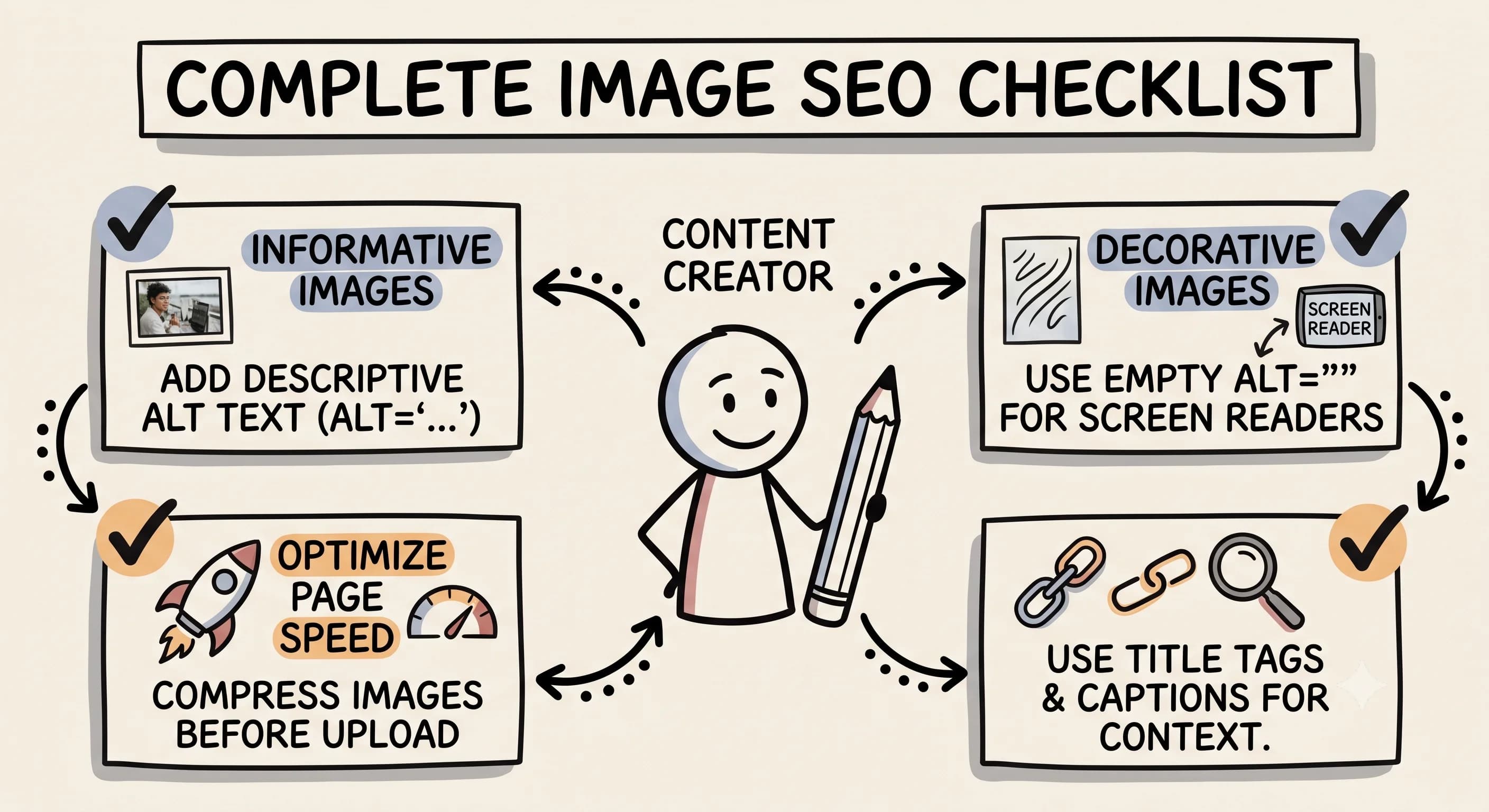
Informative images — photos, illustrations, charts, and graphics that add real content value — need full, descriptive alt text that explains what the image shows and why it's relevant to the page.
Functional images — like clickable buttons or icons — should have alt text that describes the function, not just the appearance. As Deque points out, clickable images need alt text that explains the action or destination. A magnifying glass icon that triggers a search should have alt text like "search" rather than "magnifying glass icon." Every meaningful image needs alt text — the question is just what kind.
Decorative images — purely aesthetic visuals that don't add informational value — are the one exception to the "always write alt text" rule. For decorative images, use an empty alt attribute (alt="") so screen readers skip over them. Siteimprove confirms this is the correct approach: decorative images should use an empty alt attribute precisely so screen readers skip them, preventing unnecessary noise for users and signaling to search engines that the image is not content-relevant.
Understanding the difference between decorative images and informative images is a key part of writing effective alt text across your content.
Image SEO: Going Beyond Alt Text
Add Alt Text and Title Tags Together
While alt text is the most important image SEO attribute, image title tags offer an additional supporting signal. In HTML, the title attribute appears as a tooltip when a user hovers over an image. It's a secondary cue for search engines and an additional opportunity to add context. Yoast confirms that image title text is a secondary field — the authoritative emphasis for SEO remains firmly on the alt attribute — but adding both gives you the most complete optimization possible.
Match Your Image Count to Your Content
Here's a practical image SEO strategy that content creators often overlook: align the number of images you include with the depth of your content. If you're writing a guide to five Chicago restaurants, include at least five relevant images — one for each restaurant — and write properly optimized alt text for each one.
This approach signals to Google that your content is genuinely comprehensive and well-illustrated. It also dramatically improves user experience, keeping readers engaged with visual breaks throughout longer posts. Each image with good alt text is another opportunity to reinforce your topical relevance.
Optimize Images for Page Speed
Alt text optimization means nothing if your images are slowing down your page. Large, uncompressed image files tank your page speed scores, which directly impacts your SEO rankings and user experience. As Digital Applied highlights, compressing and resizing images is a valid and important supporting tactic because page speed and image delivery directly affect overall SEO performance. Always compress your images before uploading, use appropriate file formats (WebP is increasingly preferred for web performance), and size images correctly for their display dimensions on the page.
Fast-loading pages with properly optimized images and descriptive alt text represent the full package of image SEO best practice.
How Image Captions and Alt Text Work Together
Image captions are visible text that appears below an image on the page. Unlike alt text, captions are seen by all users and are indexed as regular page content. While captions and alt text serve different purposes, they work well together.
Your alt text should describe what is literally in the image. Your caption can provide additional context, attribution, or commentary that adds value for sighted readers. Together, they create a richer content experience and give search engines multiple layers of context about your visual content.
Don't duplicate your caption directly as your alt text. Instead, let each element do its own job: alt text describes the image for accessibility and image search indexing, while the caption adds narrative or explanatory value for all readers.
Alt Text Examples for Adding Images the Right Way
Let's look at some real-world alt text examples to make this concrete. The difference between a weak alt text and a strong one is mostly just specificity — and it takes about ten seconds more to get right.
- Instead of: "pizza" — Write: "wood-fired margherita pizza at Spacca Napoli in Chicago"
- Instead of: "woman working" — Write: "content creator writing a blog post on a laptop at a home office desk"
- Instead of: "chart" — Write: "bar chart showing monthly blog traffic growth from January to June 2024"
- Instead of: "logo" — Write: "[Brand Name] company logo" or use an empty alt attribute if it's decorative
These alt text examples show how a small amount of additional specificity transforms a generic image description into a meaningful SEO and accessibility signal. None of them required keyword stuffing. None of them are longer than a sentence. That's the standard to aim for.
One more thing worth noting: the context of your page should influence how you write each description. A photo of pasta means something different on a recipe blog versus a restaurant review versus a food photography tutorial. Google Search Central is explicit on this — alt text should be written in context of the page, not just as a standalone description of what you see.
Start Optimizing Your Images Today
Image alt text is one of the highest-return, lowest-effort SEO improvements available to content creators. It simultaneously strengthens your topical relevance signals for search engines, improves your chances of appearing in Google Image Search, and makes your content genuinely accessible to users with visual impairments.
The internet is moving toward greater accessibility, and search engines are increasingly rewarding sites that align with that direction. Every image you add alt text to is a step toward a more optimized, more inclusive content experience.
Go back to your most important posts today. Check every image. Write descriptive, keyword-relevant alt text for each informative image, staying under 125 characters and skipping filler phrases like "image of." Use empty alt attributes for purely decorative images. Compress your files for speed. Add title tags for that extra SEO signal. These small changes, applied consistently, compound into meaningful improvements in your search visibility and audience reach over time.
Read more about Becoming a Content Creator
📚 Complete Guides
- How to Become a Content Creator: Complete Beginner's Guide
- Content Creator Platform Guide: Choose the Right Platform to Start Your Creator Journey
⚡ Tactics & Strategies
- 50% Retention Rate Optimization for YouTube Algorithm Success
- Age Bracket as Superpower Strategy for Older UGC Creators
- AI Workflow Integration for Content Reduction
- Audience Consistency Strategy to Avoid Algorithm Penalties
- Audience Poll on Instagram to Source Q&A Content in Advance of Recording
📄 Related Articles
- Voice of the Customer: A Creator's Guide to Magnetic Messaging
- Content Creator Burnout: Signs, Prevention, and the Mindset That Fixes It
- Influencer Authenticity: How Honest Product Reviews Drive Real Influence
- TikTok Creator Search Insights: How to Find Content Gaps That Guarantee Views
- The AI Content Creation Workflow: Turn 37 Seconds Into 1,200 Words
- The AI Content Workflow That Cuts Production Time by 70%
- Influencer Campaign Report: How Smart Reporting Systems Build Stronger Brand Relationships
- How to Ask Someone to Be on Your Podcast (And Actually Get a Yes)
Read more about Systems, Workflows & Operations for Content Creators

Alex Kirillov
Details
One link. Every channel, rate, and piece of work brands need to evaluate you. Built for how creators actually get hired.
Claim your profile
Live creator, content, and marketing roles from real companies, with the pay, market, and context the raw job page never gives you.
Browse jobs